
Speaking
Accessibility talks grounded in real digital practice.
Engaging, practical talks that help audiences understand accessibility as part of building good digital products and services. Using examples drawn from real delivery work, they build shared understanding and show how accessibility fits into everyday design and development decisions.
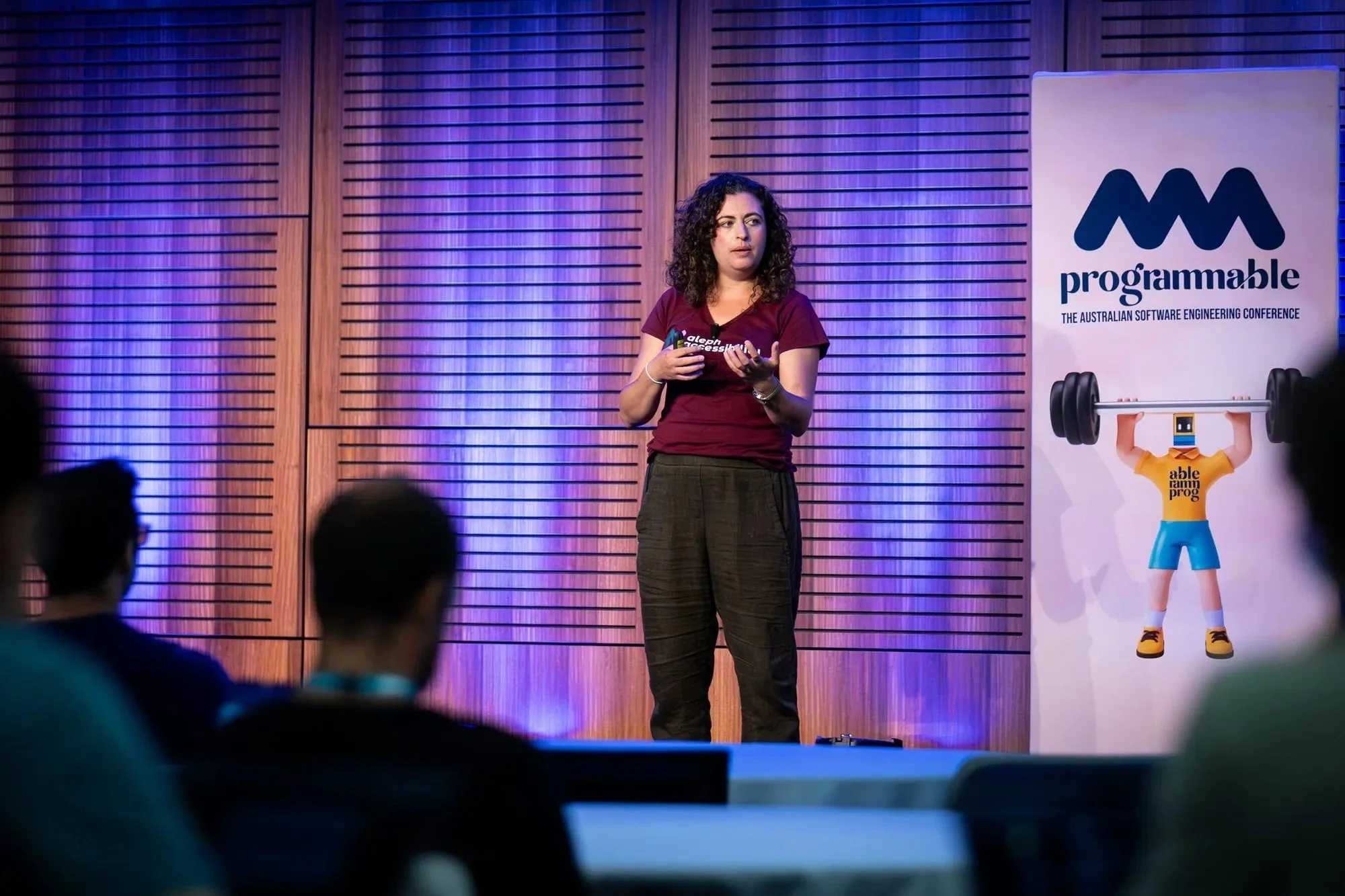
Accessibility talks that
connect with real work
Audiences are often surprised by how approachable and practical accessibility can be. When it’s presented through real examples and everyday decisions, it becomes something people can recognise, relate to and see themselves applying in their own work.
Our talks meet audiences where they are, whether they are designers, developers, product managers or leaders responsible for delivery. We explain complex ideas with clarity, humour and expertise, always leaving space for curiosity and questions.
The goal is not to overwhelm or instruct, but to spark interest, shift perspectives and leave people thinking differently about the work they do every day.
What talks cover
Talks are shaped to the audience, context and goals of the event. Depending on the setting, topics can include:
How accessibility shows up in everyday design, development and product
Common accessibility misconceptions, and why they persist in digital teams
Practical examples of accessibility challenges drawn from real projects
The relationship between accessibility, usability and overall product quality
How teams can move beyond checkbox thinking toward better judgement
Emerging trends and questions in accessibility, including new technologies and tooling
Content is designed to be accessible to mixed audiences, including technical and non-technical roles, without oversimplifying the realities of digital delivery.
Who talks are for
These talks work well for organisations and events looking to build shared understanding of accessibility across roles and levels.
They are particularly well suited to:
Government and public sector teams
Digital, design, engineering and product communities
Leadership and decision-makers responsible for digital outcomes
Conferences, meetups and internal learning events
Organisations looking to shift accessibility culture, not just awareness
Sessions can be tailored for large conference audiences, smaller internal groups, or focused leadership discussions.
Experience
Talks are delivered by Maia Miller, an IAAP-certified accessibility specialist with deep experience in digital delivery and web development. With nearly two decades of experience connecting with audiences of all sizes, she combines her technical knowledge with a contagious enthusiasm that makes accessibility feel relevant, credible and achievable.
Selected conferences and events:




Watch a recent talk
-
[Olga] So without further ado, Maia Miller is going to be talking about accessibility through AI. Thank you.
[Maia] I am coming from New Zealand even though I sound like this. So technically I'm coming from Canada, but this time I came from New Zealand. My name is Maia like Olga said, thank you very much for having me. I am a web accessibility specialist. I'm also the managing director of Aleph Accessibility, which is an accessibility consultancy based in New Zealand. We do services across New Zealand and Australia. Things like auditing, training, and consulting.
Before we or as we jump in, right after lunch, let's get some audience participation right off the bat. How many people do you believe have an disability in Australia? I have three options and you'll just raise your hand. We have 2%. Who thinks 2% of Australians have a disability? 20%. 80%. All right, cool. You're an informed group. So, the answer is 20%. And to put that into context for you, that's one in five. So, we've got some tables here. I think they accommodate about eight. So, at your table, there's like odds are there's one person there who has a disability. Or two because it kind of accommodates eight. Put in another context, that's 5 million people in Australia. That's the entire population of Melbourne. And this is a number at a minimum. So because this number only includes census people, for example. So if you indicated on a census that you require significant support for a disability, then that's the number that includes, but what it doesn't include is a whole host of other different accessibility needs.
For example, we could be talking about permanent, temporary, or situational. As an example, I am a right-handed person. If I broke my right hand or my right arm, hopefully I would recover from that. So, in that way, it's temporary, but it would impact the way that I interacted with technology. We could be talking about physical disabilities if with our physical body. So, things like having low vision, difficulty with dexterity or difficulty with hearing. But we also include things with our brain. You know, we're learning every day lots of different things about neurodeiversity. And this category you know falls sorry this category of people falls in this in this place, right? ADHD and autism, you might not people might not tick that box on a census that says, "Oh yeah, I'm disabled." But the way that we build technology impacts the way that our neurodeiverse friends are able to interact, access, use, understand that technology.
And finally, we have the older population. You know, just as we get older, our eyesight gets weaker, our dexterity gets weaker, our cognition gets weaker. It's a natural part of aging. And so this category of people also benefit from accessibility and kind of can be considered part of this group. And if you're thinking about older population, that's like, you know, really older. I'm talking about people about 60 plus. 49% of people 60 plus have a disability. 60 plus, for probably a majority of people in this room, that's your parents. So when I'm talking about older older people, I'm talking about my mom.
And so all of these people that we talked about are all using technology every single day, all the time to interact and do the things that they do in their lives. You know, just because I broke my arm doesn't mean I don't have to eat. And in fact, if I broke my arm, I might be more inclined to be doing my grocery shopping online um because I'm injured. Our neurodeiverse friends, I'm sure we have lots of you in the audience, wonderful, colorful people. You want to attend a conference as cool as programmable, and you bought your ticket online. I had an old colleague who was blind in one eye and loved video games and he uses technology in order to do that. And finally, my mom as a person who's retired, it's really important that she stays on top of her finances and so doing her banking, including doing her banking online, that's really important for her as well.
All right, next audience participation. There is a group called web aim web accessibility in mind is their and they're an accessibility organization and every year they do a survey of 1 million homepages for accessibility. So in their 2024 scan of 1 million homepages, how many homepages do you think were inaccessible? So again, I have three possible answers on the on screen. First off, 27%. Who thinks 27% of homepages are inaccessible? 55% of homepages are inaccessible. 96% are inaccessible. Okay. All right. So, you're correct. 96%. I don't know if you're just doing that because you know this is an accessibility talk and I you know I have to be here for a reason.
But yeah, there's so the major like that's not even that's bigger than the majority, right? like almost all websites out of a million are considered unaccess are not accessible. So on average there were 57 bugs found per homepage and this only includes automated like automatically detected issues. So not things that we have to be testing manually like tab order and color contrast for certain things. So this is at a minimum, we're talking 96% and at a minimum 57 bugs per page.
The problem then is that we still have people who live in this world who need to do things online, but we're creating barriers that they can't do it.
So is AI the solution? Can AI make the web accessible?
So there are definitely ways that it has been helping. So AI has existed for a while as we've heard earlier in the conference and has been being used to help with accessibility as many technologies have been helping um with accessibility. So things like predictive text that's really great for dyslexia for even if just English as a second language not having to write things on your own and depend on your own ability your writing abilities really helpful for lots of different people including reading disabilities, learning disabilities. Voice recognition was actually created for people with disabilities who have limited mobility so that they can still interact with their technology by using their voice. So that has been around for a really long time as well. And maybe both of those things together is allowing for auto captioning and auto transcripting. So we saw during COVID for example you know everything went online and all of our meetings are happening online.
Suddenly there was a really big urgency and a big need to allow for auto captioning to happen. And we saw, I think, an accelerated improvement in those captions where now it's automatically on a whole host of different platforms. and that's all thanks to AI. And so, like I said, it helps people with dyslexia, also with attention like attention deficiencies, ESL, like I said, heart of hearing, all that kind of stuff. Of course, you know, there's not everything is perfect and there are there drawbacks. So, I have a North American accent. And when the auto captioning is listening to me, it's pretty good. But most of you in the room who have Aussie accents or not a North American accent, you've probably had auto captioning track your track what you're saying and you've looked at it and you're like, "How in the world did you get that?" Or whatever slang you say to say how in the world. So, you know, when it comes to accents, voice recognition is not that great at it. And that can also bleed into other areas that impact our speech like speech impediments. Say somebody had a stroke. So, it impacts the way that they're speaking. So, they're not speaking, you know, like I am and enunciating super clearly so that a robot can identify it. And the same is true with something like a stutter. And with all of these, we all are verifying the output. That's also a really key part of these.
So when it comes to predictive text, you know, if you're just sending a social text to somebody, you're able to see what predictive text is coming up for you, instead of just automatically selecting it. So that's a really key part of that allows these technologies to be really successful and really enable the people and and and the value shouldn't be undermined.
It also helps with images. So I told you about that million project of a million homepages. Of the issues that are found among the top five issues that automated scanners find is images with no alt text. Huge problem on the web and the AI is great for this. For example in chat GPT I put in an image and I asked it can you write the alt text for this? And it gave me an alt text. The alt text is verbose. So before using that alt text, I would probably read it and make, you know, make some cuts and pick the parts that are important for the context that I'm using that image. But that's really helpful. It gives me that starting point.
So much so that companies have started to leverage this. So there's a company called Scribbly and they use AI to generate bulk image alt texts for for other companies. It's interesting when you look on their website, the way that they advertise themselves is they call they see that they're operationalizing image descriptions. They're not saying that they're making alt text, you know, soundproof, and like airtight and that they're going to do all the alt text for you. And in fact, if you learn more about them, they really emphasize the human process review as important to make sure that those alt texts are accurate. But they are leveraging AI. So that we're having fewer images without alt text.
In a similar way when it comes to images, images of text are really inaccessible. So I have a friend who is fully blind and uses a screen reader. When we go out for a restaurant I need to read out the menu for him. That's because on the website that menu might also be an image. And now if you think about, you know, when you're going out to dinner, you know, you're going out with friends or colleagues or maybe a cheeky date, and you want to just have a look ahead about the rest, you want to look ahead at the menu to see, you know, what, what's what's up. So there's a lot of independence and empowerment that comes in being able to read something as simple as an image. And so, chat GPT allows for this, or AI in general allow for this. So my friend can take an image of a menu, put it into chat GPT and ask it to read it out for him and then he can do that on his own.
And again, companies are leveraging this as well. There's an app called Be My Eyes which has existed for a while. It's an app that connects people who need visual help with a group of volunteers and you basically pull out the app and connect with a volunteer and then show them the thing that you're looking at. So, let's say you're at a grocery store, you're low vision, and you're trying to figure out like, is this red beans or black beans? I can't really tell because the label's kind of the same, but it's just a word that's different and I can't really tell. Pull out the app, ask somebody, they can tell you right away. And you're good. And so, Be My Eyes is now using AI as well. So, that being able to read text and in order to further empower the people who are using their app. Really cool stuff.
So the we are seeing that AI is being really useful in empowering and allowing people to have independent lives and you know write the CV that they wanted to write so that they're not being penalized because they don't have as good of a grasp of the English language or that they're just not not very strong at spelling but they are very clever people you know. So this is really beneficial and really helpful.
We have to keep in mind that all of these outputs can be human verified. So all that predictive text all of that alt images are being human verified as well as allowing for alternative inputs. So if Siri isn't listening to me and isn't able to understand what I'm saying, I can type then type into my phone the command that I want. So there's alternatives there.
The point that we want to keep in mind is AI certainly improves efficiency but not accuracy. The efficiency that's kind of inarguable. You know, it takes that alt that image that has no text there and puts text in it. It takes my empty page and puts code on it so I have somewhere to start. It allows me as a human person to skip a number of steps and get to, you know, the good meaty juicy stuff that really requires my brain.
But what I AI is less good at is that accuracy part. And that's where we're going to delve in. And the reason why I want to talk about that accuracy piece is because that's what produces quality and therefore accessible code.
All right. So I told you that AI is not accessible or or not accurate. So let's explore why exactly is do we believe AI isn't quite accurate and then therefore it's not quite accessible either. I have a code example. All right. So on screen I have a div and it has an on click that triggers the function “do action”. All right. Again some audience participation. What is this element? What do you think? Sorry. Oh, it depends. Okay. Okay. Yeah. Right. It does depend. So, we might look at it and we say on click. Okay. That's a button, right? Because it has an on click. Sure. Okay. Good guess. But it could also be a link, right? Because links are interactive elements. They do things. Maybe it's an option, a radio button option. like it's the other on the radio option and then when you click on other then it pops up with the the text so you can describe what's there. Or maybe it's an accordion or a tab which those are technically buttons but there's more context to them that revolves around it that it's more than just a button. If I were to ask you to draw a button you wouldn't draw an accordion necessarily. Or maybe it's a checkbox. You know it could be all sorts of things like like was told. you know, it it depends.
Okay, so I I you know, you were right. I gave you not a lot of information, so I'll give you a little bit more information. So we have the same div with an on click. And it says read more. Okay, so we have a little bit more context of what this could be. So a read more. Then oh that must be an article, right? Because we have the heading and the image and then you know so it'll say like read more and that's what you click on and then it takes you to another page. So so that's a link. So the this div that we're talking about, that's a link or maybe it's a button. Because maybe it's actually part of an accordion like I was talking about and it's the description and then it's the read more of that and then so when you click on that, it expands and so it's not taking you anywhere. So it's not a link so it's actually a button or maybe it's a radio option. Maybe it's, you know, when you select on it again, it tells you gives you the other or, you know, it's just it's just one of the options of the radio or any other interactive element.
So, like was said, it's the it depends. The context matters, right? And this is just one question that we asked. There were so many other questions that we should be asking and we do ask about these code snippets. So, we asked you what element is this? But also what relationships does it have with other elements on the page. You know if it's an accordion versus a tab versus you know something else it has relationship with other elements and for that matter if it's an accordion then it has a state and we need to declare the state that it's expanded or collapsed. So does do we need to be doing that? Is it in the right tabbing order or the reading order? Is it all out of place? And then let's get into keyboard accessibility. So, when we're talking about keyboard behavior, the spacebar does something completely different with every single interactive element. It's actually quite interesting if you haven't played with it. So, the space bar on a button does something different with a space bar on a link. And so, if we don't know what element this is, then we can't make sure that the keyboard navigation is accurate. And that's really important for people who navigate primarily with the keyboard.
Talking we talk about focus state is really important as well as good color contrast.
So these are all sorts of questions that we have around this piece of code and you know I know it's a simplistic piece of code and so maybe it's not quite real world but the idea is that the context matters when it comes to UI like was said it depends. We have all of these questions around this piece of code and that informs what this piece of code actually is intending to do and what it actually means.
And in fact, I asked Chat GPT, I asked, "Well, what do you find difficult when it comes to identifying accessibility issues?" And it told me, "AI struggles with ambiguous or context dependent accessibility issues." So, it knows, it's telling us straight up that that's the that's the issue.
So if we as humans that understand code and are looking at the code and and we recognize right away this code, it depends in order to be able to identify it accurately and then understand what needs to happen with it, what kind of keyboard interactions it needs and what kind of relationships it has. If we don't understand that context by looking at it, how in the world is AI supposed to do that?
But you might be asking okay but like certainly technology can help right like it has to be able to do something you know we see an on click and you know with the on click so that means that it should be an interactive element so it shouldn't be on a div that has no semantic meaning right things like color contrast it should be able to pick up some things about color contrast and compare that ratio right surely. And you're right, it's called automation. There are tons of automation that exists already testing suites linting browser extensions, browser scanners, bookmarklets, all sorts of things. Who here uses an automated tool in their process? Okay, so your homework, if you did not raise your hand or if you did, either way, your homework is to implement one of these tools. Most if not all of the tools are free or they're like premium, but like the main version is free. You can implement it into your process into your coding and you'll get a lot of benefits from it.
From Aleph accessibility, we wrote an article about free accessibility tools that we love. That article is also free. Like if you don't know where to start, go there. There's a QR code on screen. If you can't access the QR code, you go to lfacessibility.net/resources.
Automation only catches 20 to 30%. Like we were talking about that context is really important and even as sophisticated as automation or AI is without that context it can't really fully understand but 20 to 30% you might as well catch those bugs right so that's your homework okay.
All right so when it comes to accessibility testing, because we're only catching some of the things and because that context matters we actually do a lot more when it comes to accessibility than just automation than just AI. We involve manual testing to test to ask those questions and answer those questions that automated testing.
Like I said and really important is user testing, there's nothing quite like user testing. At the end of the day they're you know people are the people who are using your application you're only making your product for people to use, you need to be testing with users and particularly reaching out to users with disabilities and making sure that they're being included as part of the user testing.
Okay but I have another element to all of this as to thinking about AI and thinking about accessibility. My question is, how does AI learn? We know that it learns by training off of data. What was that data again at the beginning that we did that million scan? And we found that out of a million homepages 96%, basically practically all of, it in fact the minority is accessible. And that there's so many bugs, right?
This is the this is the data set that we're working off of. And the way that AI works as well is that it looks for patterns, right? It's a robot and looking for patterns in order to identify the most likely best outcome. So if it has 96% saying one thing and only 4% providing accessible code, it means that that 4% is actually the minority in this case and it's actually the outlier. And predictively, it's better to exclude that outlier because it's unlikely to be the truth. And so AI has a tendency to amplify our biases and amplify our mistakes. And as we know, it does it with a lot of confidence too.
There is a content creator, his name is Jeremy Andrew Davis, and he created a Tik Tok where he asked MidJourney to generate pictures of an autistic person. MidJourney generated 148 images. Of those 148 images, only two were female rep female presenting. Only five were over the age of 30. All of them were white and none of them were smiling.
AI trains on biased data. And for that matter, it trains off of biased, ableist data. And so long as that data is biased and ableist, we can never truly depend on it to automatically generate code for us that is that we know for sure is accessible.
So when we ask the question, can AI make the web accessible? I think we're asking the wrong question or at least we're looking in the wrong direction when it comes to trying to answer this question. Because the reality is, is that disability is not a technology problem. It's a social problem. It's a the way that we think about accessibility and disability. It's our attitudes that we have about diversity, about inclusion of different people's needs. Those attitudes are informing the the actions and the choices and the things that we're building in which then the people who are using those tools can't access them, can't use them, can't understand or navigate them. We're putting people in positions where they can't use our technology. That's how we create disability rather than finding technology to solve to quote unquote solve a problem.
Because the reality is disability has existed before. It's existed apart from technology and before technology. Disability is creating a building and not thinking about the mobility needs of people. It's discriminatory hiring practices where disabled people are more likely to be unemployed. They're twice as likely to be underemployed and they're less likely to have completed higher education. Disability is believing that it's a niche quote unquote even though disabled community represents $30 billion dollars in Australia alone and companies time and time again show that when they invest in accessibility and diversity they continue to see increased revenues compared to their competitors who don't.
When it comes to quote unquote solving accessibility it's not about solving anything. It's about building something. It's about building accessible digital products. We do that by embedding accessibility into our processes. Those tools that we had at the beginning, we're implementing those from our process all the way from the beginning into the into the end of our testing so that we make sure that we have accessibility throughout. It involves executive level policies where executive levels are stating that this isn't important. they're taking accountability and they have individuals who are responsible for making sure that accessibility is happening at their company. It involves bringing in accessibility expertise and that can be an external hire or an internal hire to make sure that you understand accessibility and the needs that exist.
It's upskilling yourselves and your team to make sure what you understand what the user requirements are. And like I said, it's testing with disabled users and making sure that you're proactively testing with users and not just casting a wide net and hoping that you're involving the people that you need to be involving.
It's these processes, culture, and training. These things are the things that will actually make your digital products accessible. Thank you. [Music]
What organisers are saying
“You might be my favourite person of the [event]. You made me laugh and kept me engaged for 45 minutes straight. Sitting in the front row watching you perform was an absolute delight!”
Thoughtful, engaging talks that connect accessibility to real digital work.